Draw a microfluidic chip.
Print it this afternoon.
OpenChip runs in your browser, exports an STL for a desktop resin printer, and never uploads anything you draw.
- In the browserWebAssembly geometry kernel. No install.
- No account, no serverNothing is uploaded. Works offline.
- STL · OpenSCAD · SVG · PNGYour geometry, in formats you own.
- Open sourceEvery threshold is a number you can read and change.
02Draw
Draw the channel network, not a solid model.
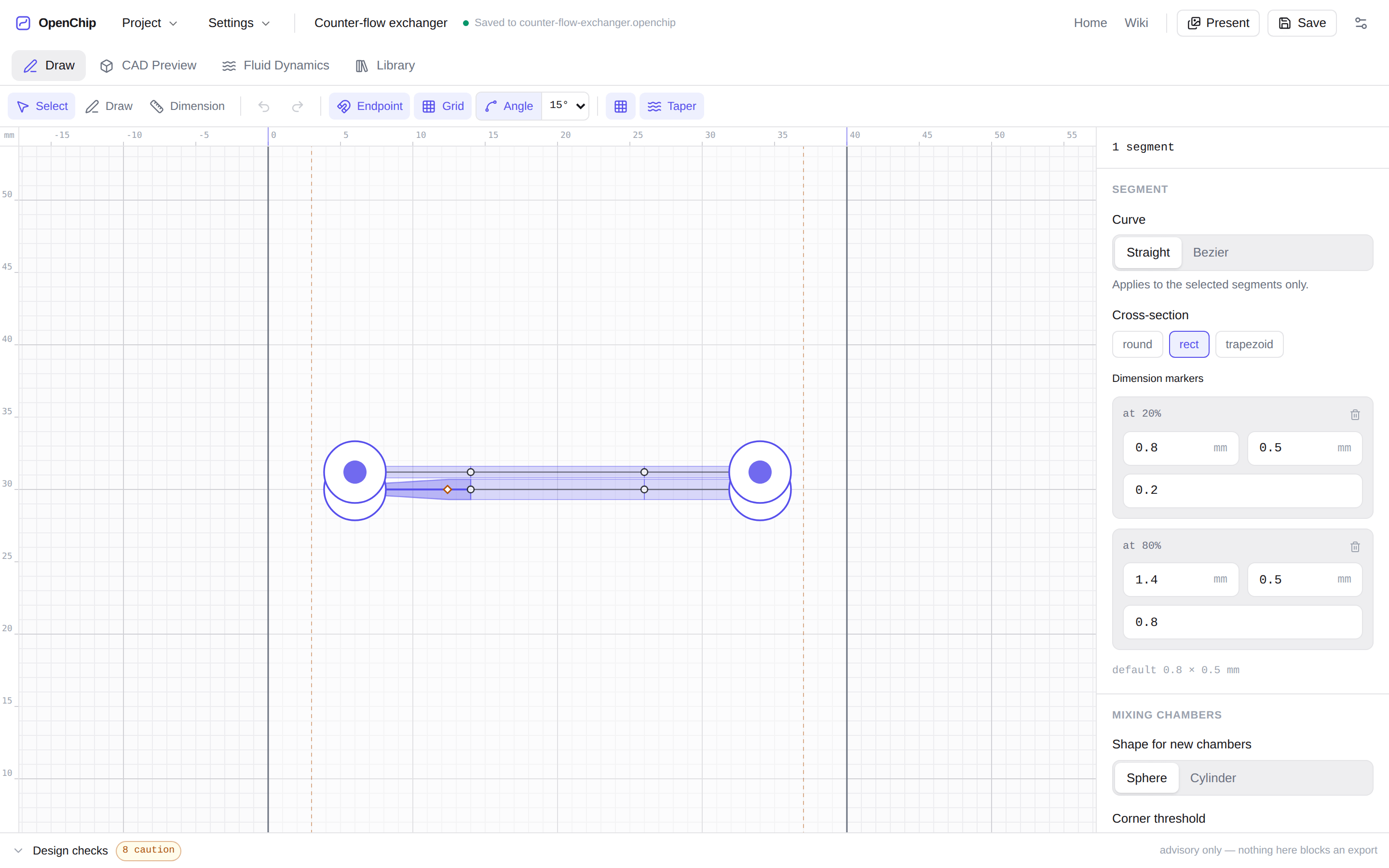
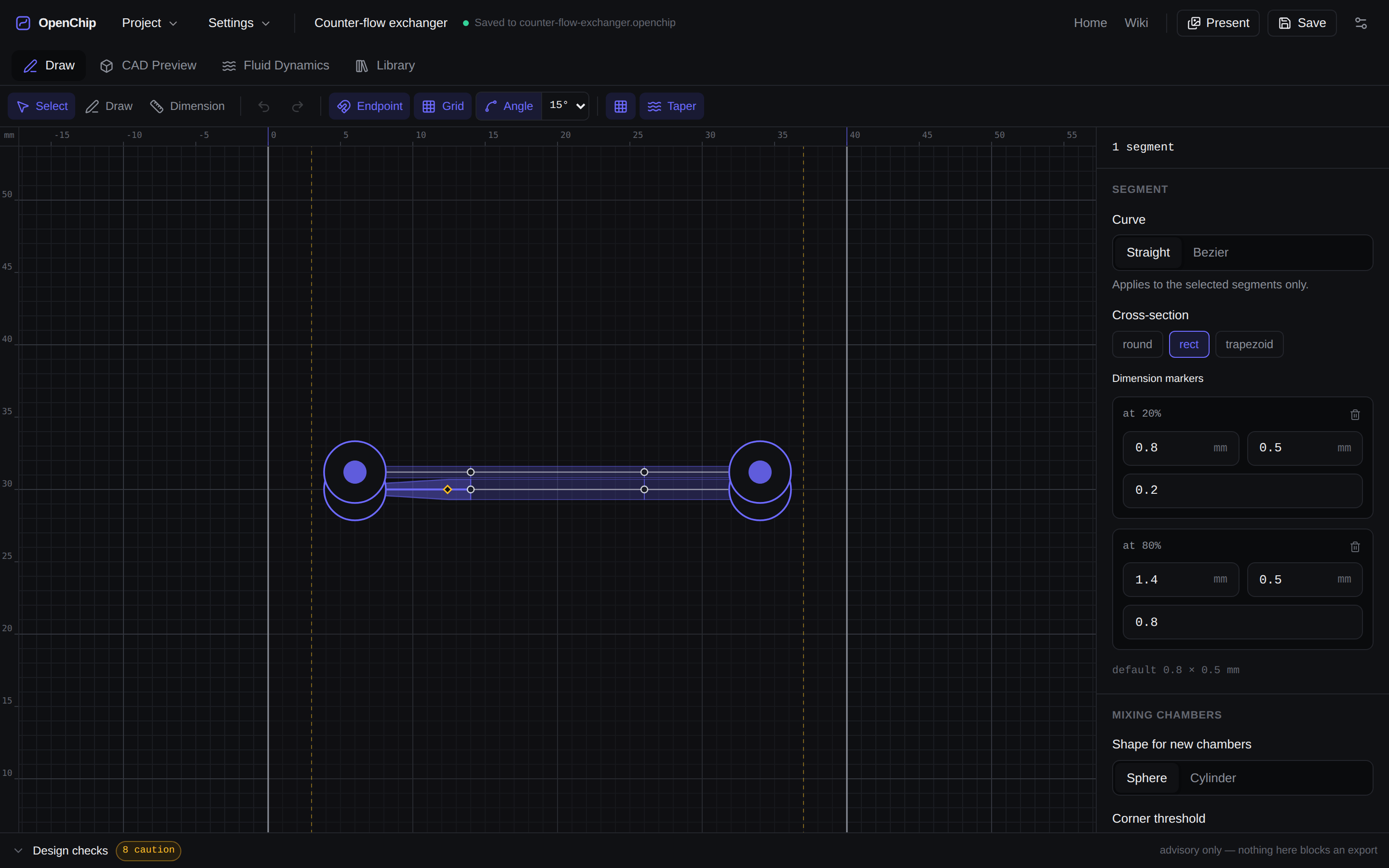
You lay down a path. Each segment is straight or bezier, switchable after the fact, and snapping holds you to endpoints, a grid, and 15° angles so a network stays orthogonal without you nudging it there.
Dimension markers set the width. Put one at 20% of a segment and another at 80%, and the channel lofts smoothly between them — across a whole connected path, not just one edge. That is how you build a flow-focusing throat or a gradual expansion without drawing either.
V select · P draw · D dimension. Esc ends a stroke, ⌘Z collapses a whole drag into one step.
03See it as a solid
The block updates as you change a number.
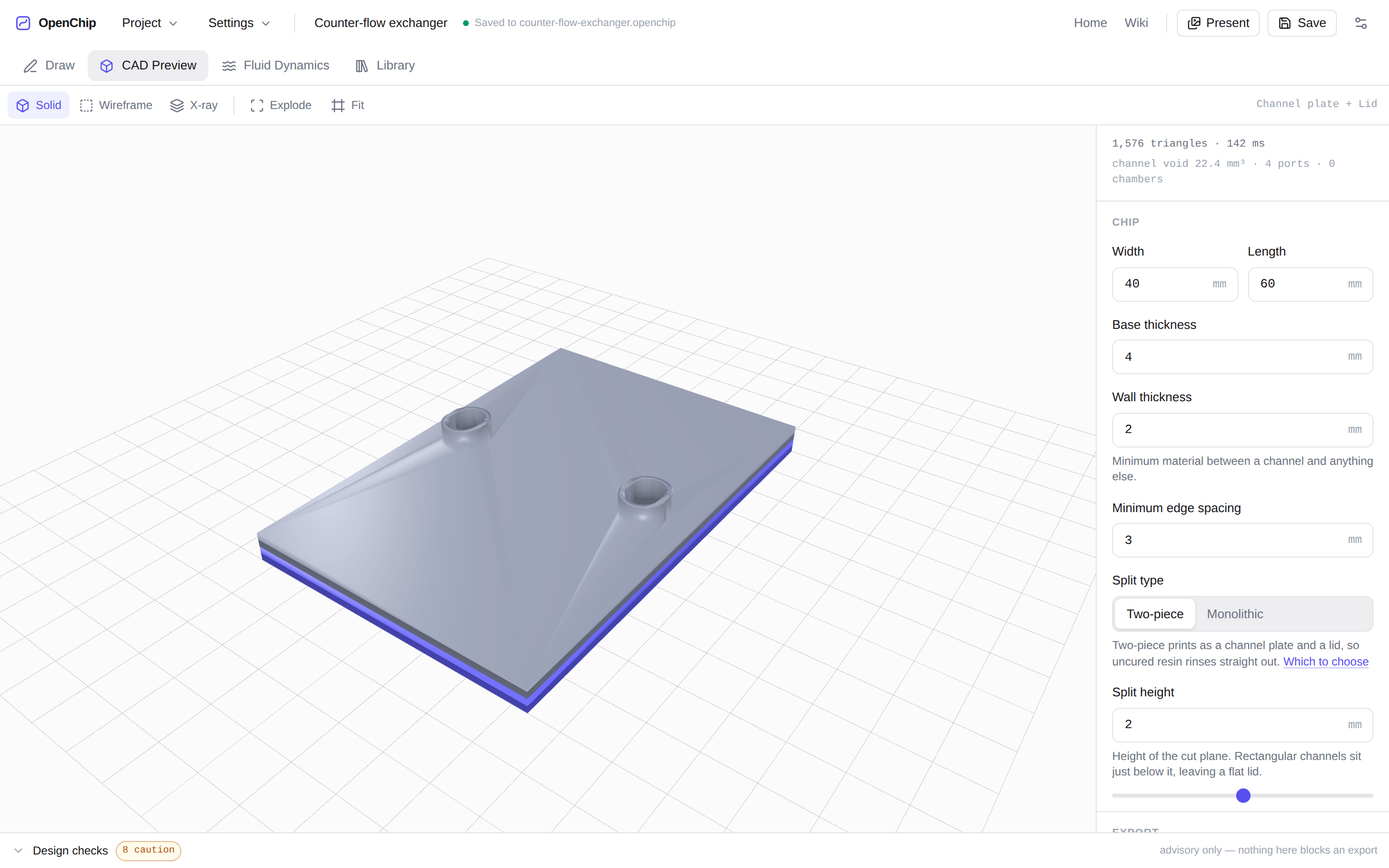
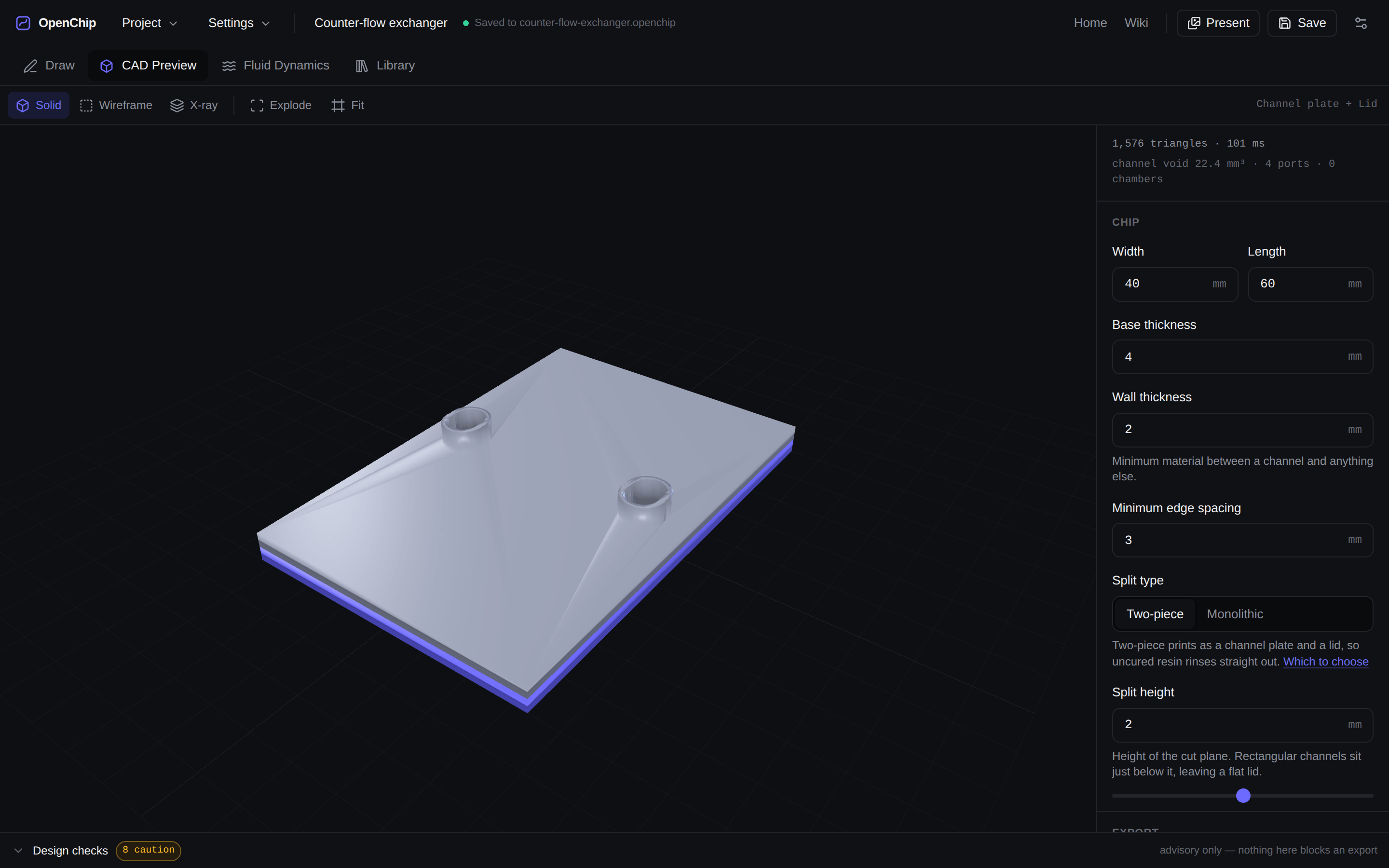
The 3D preview is built by manifold-3d, the same geometry kernel modern OpenSCAD uses internally, compiled to WebAssembly and run in a worker. Change a wall thickness and the solid is rebuilt — the counter-flow chip above meshes in about 100 ms.
Choose monolithic and the channels are voids inside one printed block. Choose two-piece and it splits at a cut plane you set, giving a channel plate and a flat lid you bond afterwards — far easier to drain, and the only realistic option below about 0.5 mm.
04Checks that advise
Nothing here blocks an export.
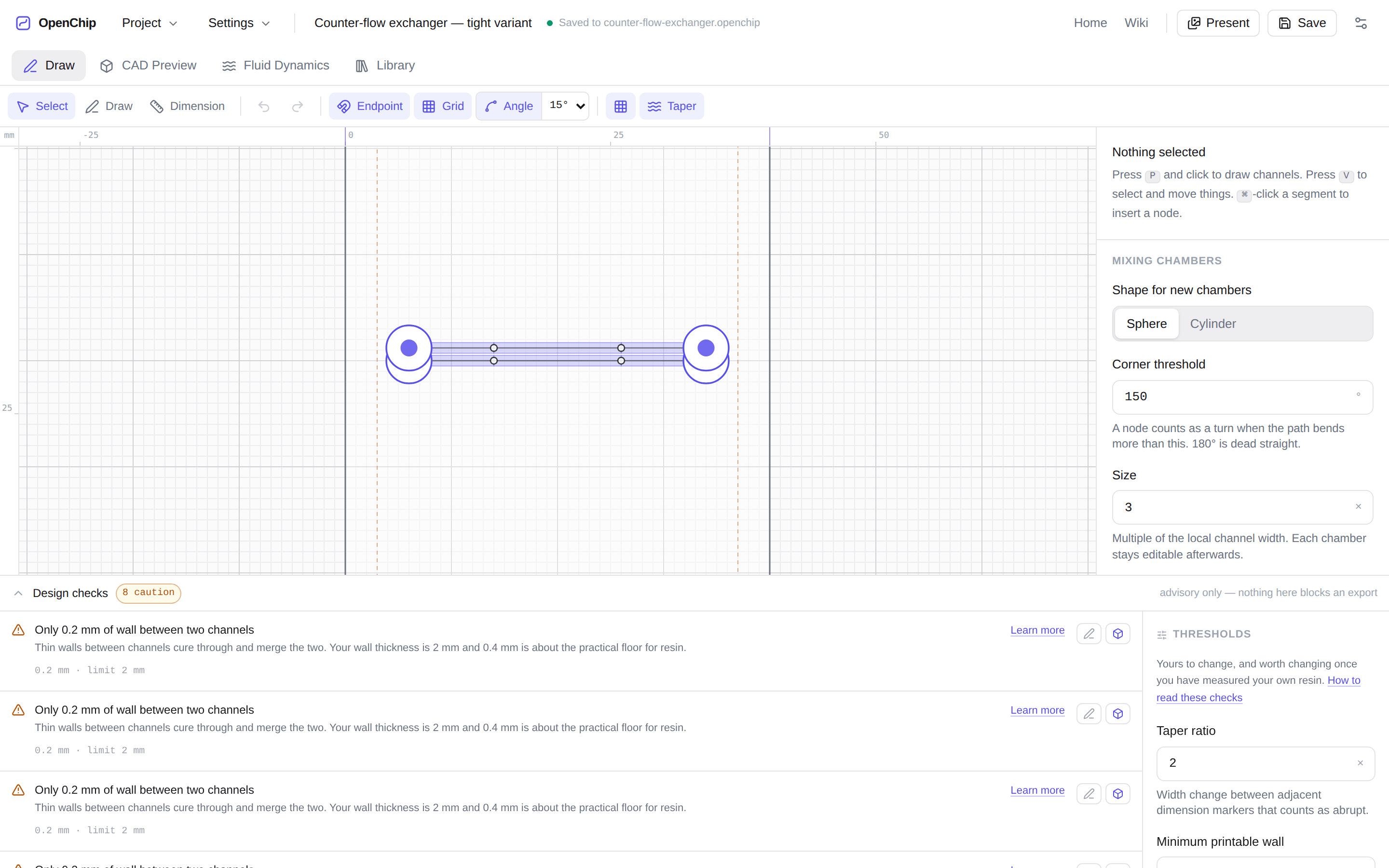
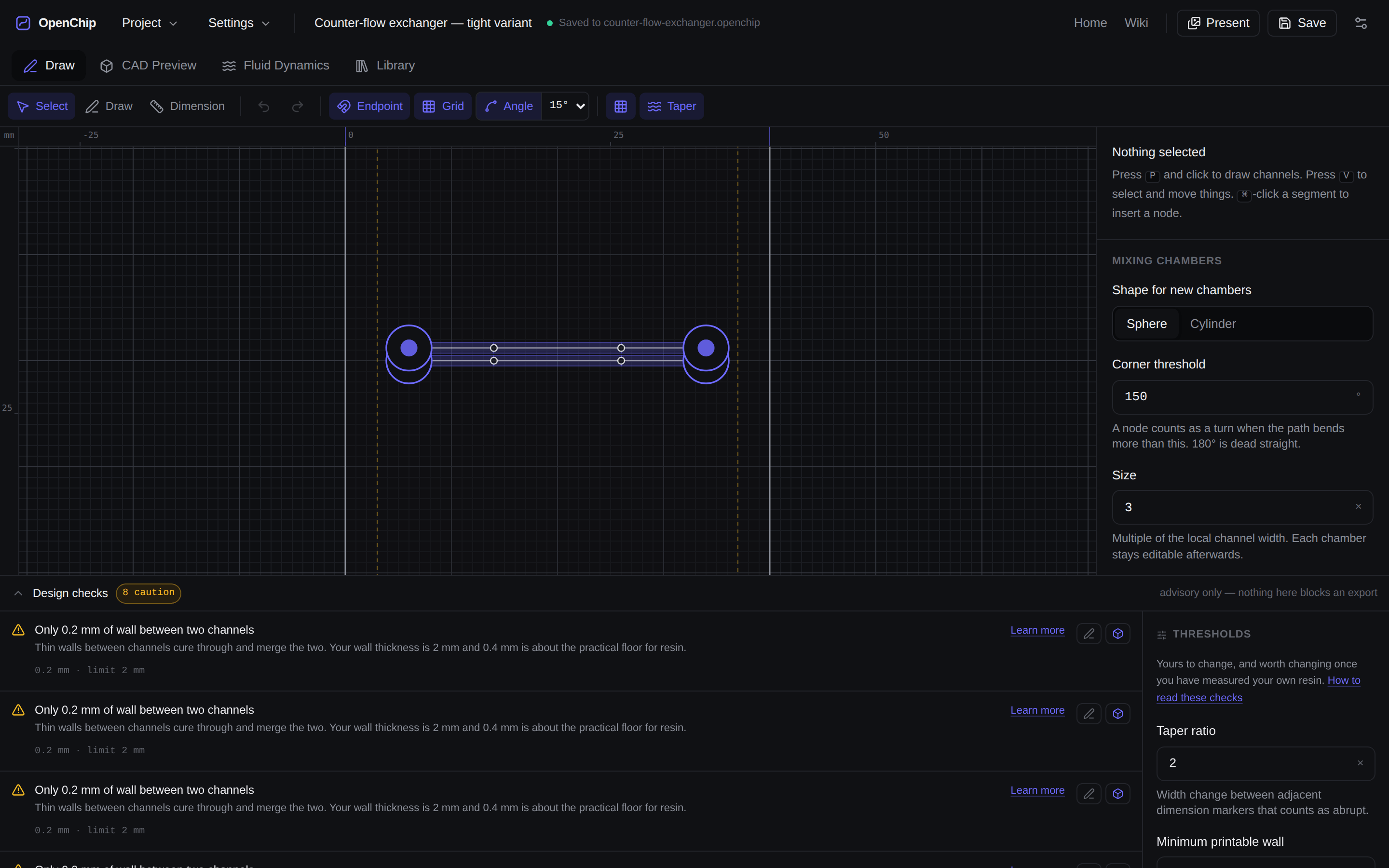
8 cautionDesign checksadvisory only — nothing here blocks an export
That line is from the app, not from this page. OpenChip checks your design against the printer profile you entered — minimum feature size, wall thickness between neighbouring channels, port clearance from the edge, overhangs, dead ends, trapped cavities, regions that will not drain — and then it tells you and gets out of the way.
It never disables the export button. You are the one holding the printer, you know things the geometry does not, and a tool that refuses to let a researcher try something is a tool they stop using. Every threshold is editable, and the panel shows you both the measured value and the limit it was compared against.
Every check, what triggers it, and what goes wrong if you ignore it →
05Estimates before you print
Know the pressure before you buy the syringe pump.
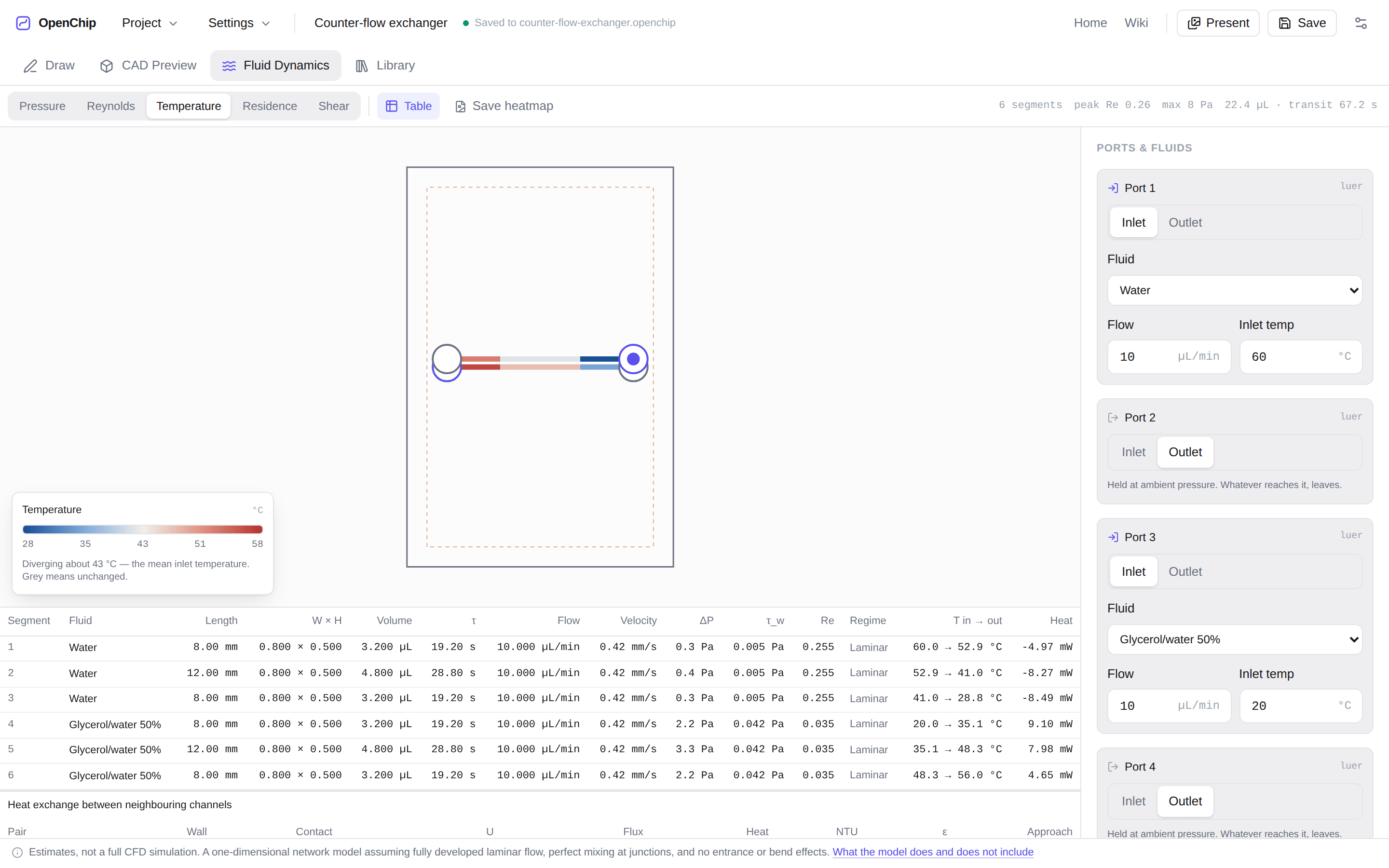
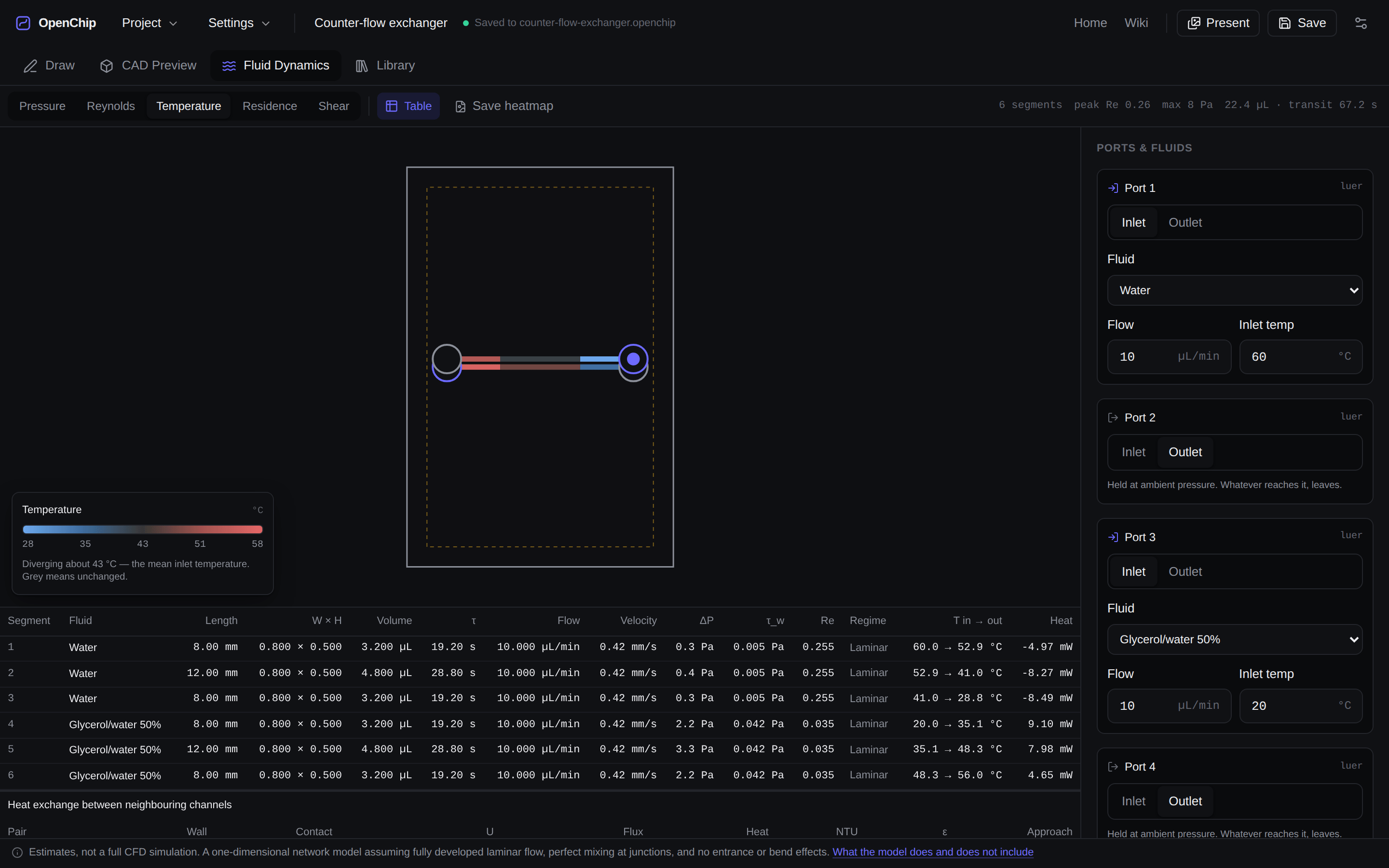
OpenChip solves the network as a resistor network — which is exactly what a laminar channel network is — and reports pressure drop fromHagen–Poiseuille generalised to non-circular ducts, mean velocity, wall shear, residence time, and the Reynolds number for every segment. Heat crossing between adjacent streams is estimated too, which is what the counter-flow exchanger above is for.
These are analytical estimates, not CFD. A one-dimensional network model assuming fully developed laminar flow, perfect mixing at junctions, and no entrance or bend effects. It will tell you whether your pump can push 10 µL/min through a 0.4 mm channel. It will not tell you what the concentration field looks like halfway round a bend.
06Try the arithmetic
One channel, solved by the app's own code.
This is not a demo of the estimates. It imports the same hydraulics.ts the Fluid Dynamics tab runs, so the numbers below are the numbers you would get in the app for a single segment of the same size.
- Reynolds number
- 0.26laminar
- Pressure drop
- 1.3 PaHagen–Poiseuille
- Mean velocity
- 0.42 mm/scross-section average
- Residence time
- 1 min 36 send to end
- Internal volume
- 16.00 µLthis segment
Computed by the app's own hydraulics.ts. Hagen–Poiseuille assumes fully developed laminar flow in a constant cross-section with a Newtonian fluid — a real channel has an entrance length, and a real chip has bends and junctions this single-segment figure does not account for.
07Start from something that works
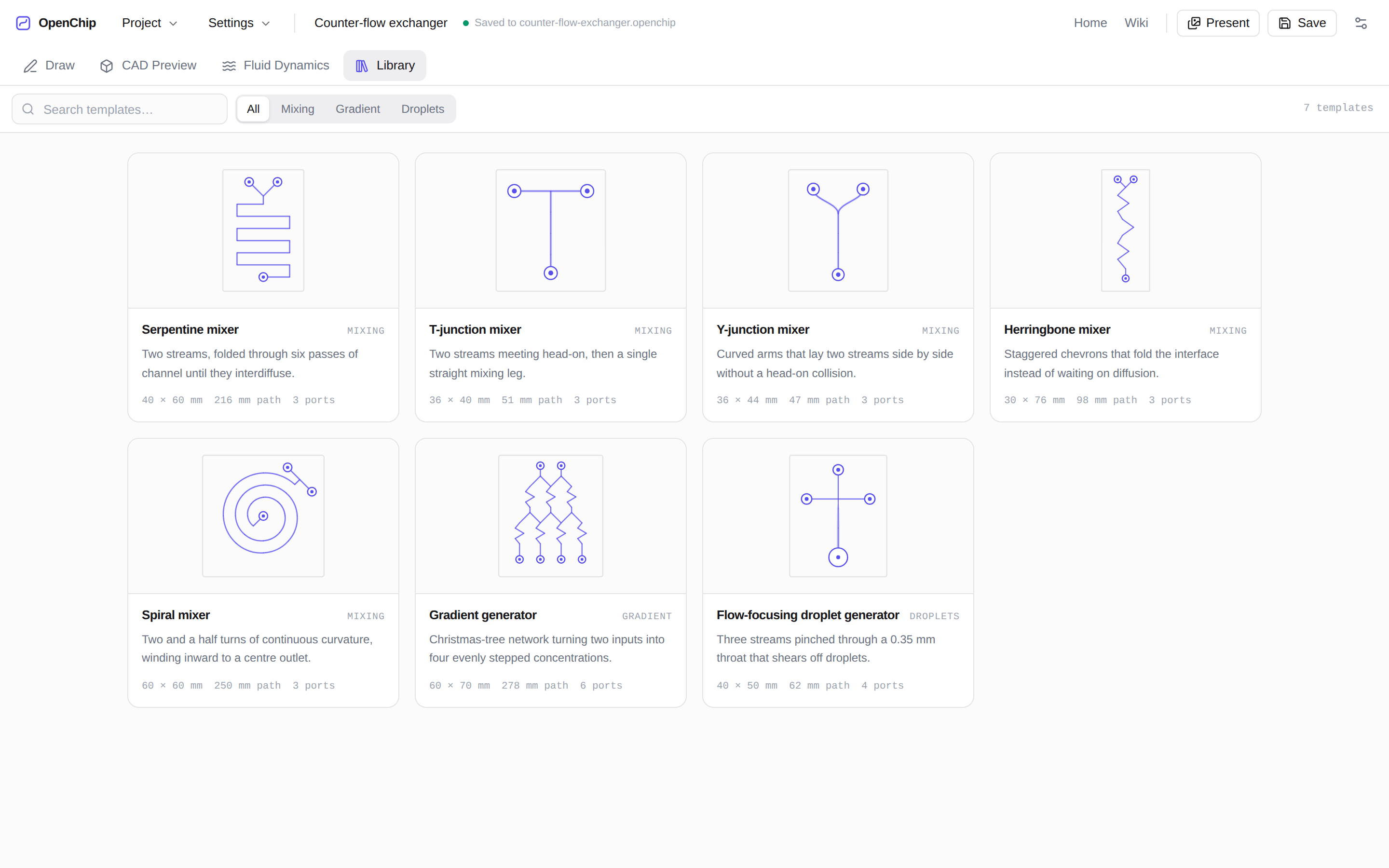
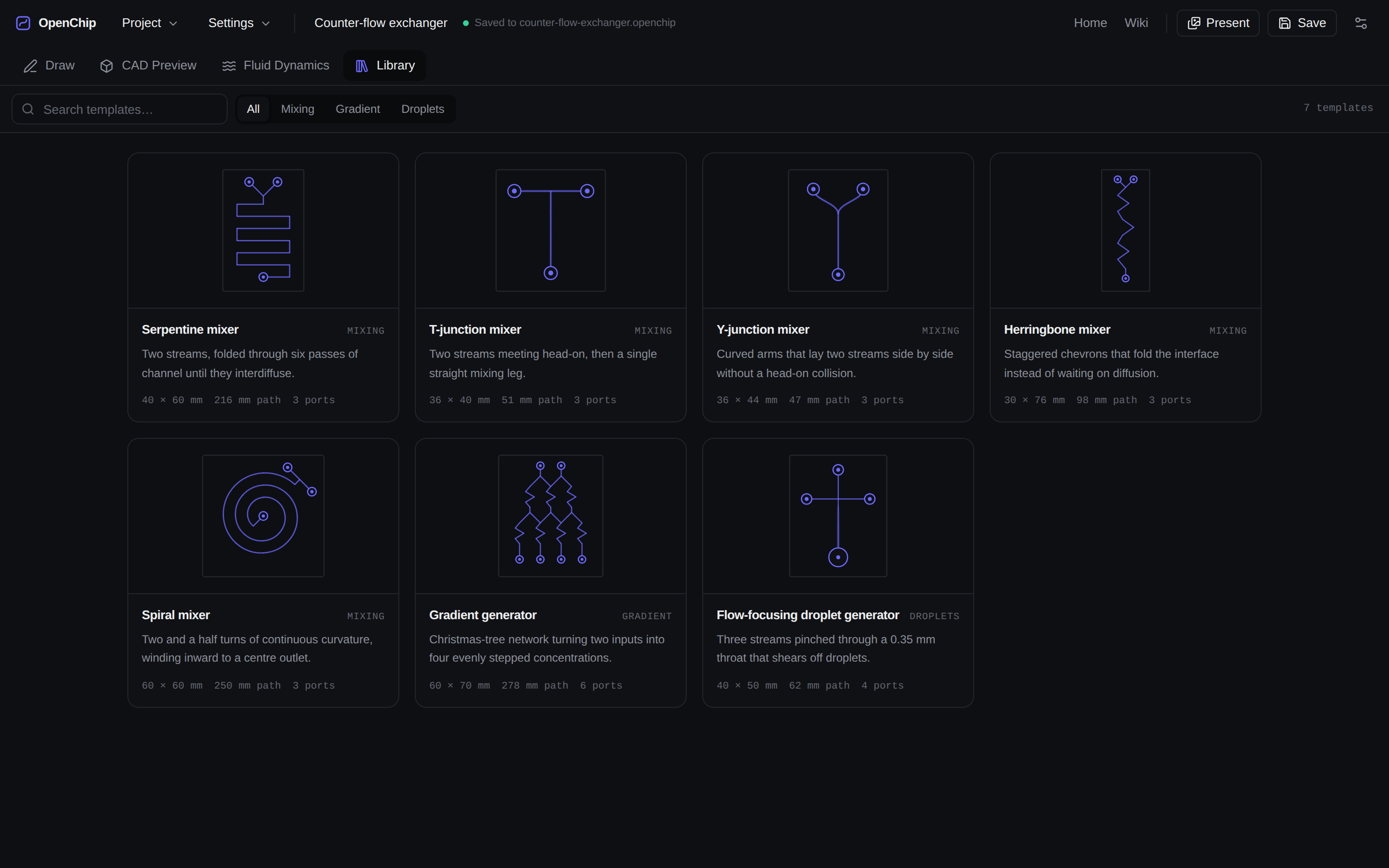
Seven templates you can print or take apart.
Every preview below is drawn from that template's real channel graph through the same solver the app uses — so the droplet generator's 0.35 mm throat is narrow in the picture because it is narrow in the geometry. Open one and every node, width and port stays editable.
Herringbone mixer
Staggered chevrons that fold the interface instead of waiting on diffusion.
13 segments3 ports98.3 mm30 × 76 mm
Caveat
The published staggered herringbone mixer works by ridges cut into the channel floor, which are sub-channel features a planar graph at a single Z cannot express. This is the planar chevron interpretation: it folds the interface by turning the whole channel rather than by driving a helical secondary flow, so expect useful mixing but not the original device’s numbers.
Gradient generator
Christmas-tree network turning two inputs into four evenly stepped concentrations.
47 segments6 ports278.2 mm60 × 70 mm
Caveat
The linear series holds only if every branch has the same hydraulic resistance. Widen one channel and the split stops being even — check the Fluid Dynamics tab after any edit, because a branch twice as wide carries roughly sixteen times the flow.
Flow-focusing droplet generator
Three streams pinched through a 0.35 mm throat that shears off droplets.
6 segments4 ports62 mm40 × 50 mm
Caveat
The 0.35 mm throat is near the limit of a standard 4K printer and will be the first thing the warnings panel flags on a coarse profile. Print a test coupon before committing a chip.
08Local-first
Your chip never leaves your machine.
There is no backend to send it to. Everything — the drawing, the geometry kernel, the flow solver, the exporters — runs in the tab. A .openchip file is plain JSON you can read, diff, and put in a repository next to the paper.
The app keeps your work in browser storage as you go, and the File System Access API saves in place where the browser supports it, with a download fallback where it does not. Close the laptop mid-design and it is there when you open it.
09For researchers
Run it yourself, cite it, change it.
Run it locally
Node 20.19 or newer. Clone, install, and the dev server is on:5173. There is no service to configure and no key to obtain.
npm install
npm run devCite it
A CITATION.cff ships with the repository. If you use OpenChip for a device in a paper, cite the software and state the version — the geometry and the thresholds change between them.
@software{openchip,
  title   = {OpenChip: browser-based microfluidic chip design for resin printing},
  author  = {Cimoca, Julian},
  year    = {2026},
  version = {0.1.0},
  url     = {https://openchip.tech}
}Change it
Every printability threshold is a named constant, not a hidden rule. If your resin holds a 0.3 mm wall, change the number — the checks are advice calibrated to a printer profile, and yours is the profile that matters.
The repository is not public yet. Until it is, get in touch — and the wiki documents every threshold and where it lives.
Draw something.
Nothing to install, nothing to sign up for.